 |
Lost Video Island
A Multifandom Vidding site
|
| Author | Message |
|---|
Jamielost
Advanced Vidder

Joined: 07 May 2008
Posts: 121
|
 Posted: Sun Jun 7, 2009 12:05 am Post subject: Youtube Quality & Rendering issues Posted: Sun Jun 7, 2009 12:05 am Post subject: Youtube Quality & Rendering issues |
|
Hey,
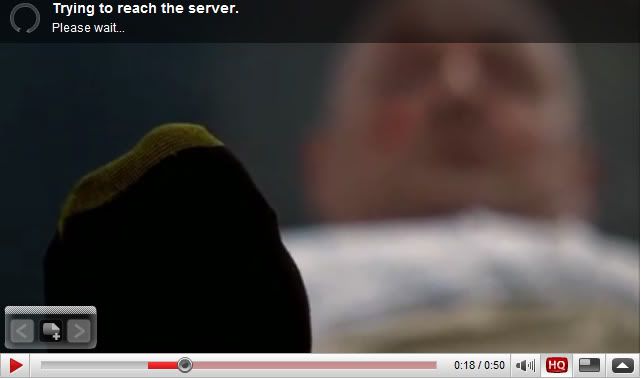
I've been having trouble with Youtube quality... it's OK on HQ, but it's still a bit pixelated if you know what I mean. But here's the weird thing: the quality is better when I DON'T watch it in HQ. It's more noticable on the text, but here's some examples:
HQ:
Standard Quality:
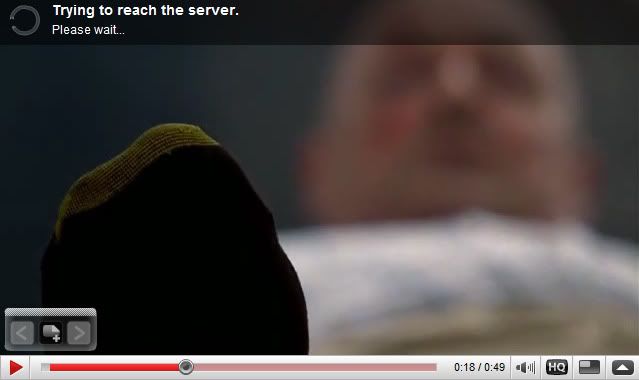
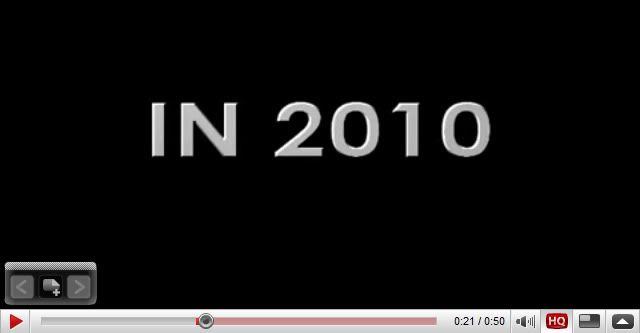
If you look at the black lines on the yellow part of his socks, it's sharper. That isn't a very good example, but the text:
HQ:
Standard Quality:

The difference might not be that great, but there is a difference. On another vid of mine (just started, uploaded a test on a different account), the text was a bit blurry so I turned off the HQ button, and suddenly it was perfectly sharp. And the rest of the video was much better...
So I am a bit perturbed as to why low quality would be better than high... perhaps it is to do with rendering? I render with the following settings:
Rendering quality: Best
Audio: 128kbps, 44 kHz, stereo (A/V) CBR -- I wonder if that is the problem?
Mode: Quality VBR
Format: WMV9
Image size: 640x360 (for widescreen)
Pixel Aspect Ratio: 1.000 (square)
Frame rate: 30.000
Seconds per keyframe: 1 or 3... don't think it matters
Quality: 100%
Bit rate: 3mbps
Think that's all the details. Oh, and I change the project properties too.
640x360 again
Frame rate: 30.000
Field order: none (progressive scan)
Pixel aspect ratio
Full-resolution rendering quality: good (I thought it was set to best, but it's on good)
Deinterlace method: blend fields
So any ideas? I've tried so many different rendering settings, but this is the best I came up with. Is there a better way? And why is LQ better than HQ?! 
Thanks in advance! |
|
| Back to top | |
 |
Jamielost
Advanced Vidder
Joined: 07 May 2008
Posts: 121
|
| Posted: Wed Jun 17, 2009 7:05 am |
|
This has been solved by Maja (thanks  ), and I thought people might like to know the solution since it's been a problem for a lot of YTers. ), and I thought people might like to know the solution since it's been a problem for a lot of YTers.
| Quote: | | I go into custom and then I choose "good" under quality. In "video" i choose "1,333 (HD 1080)" instead of "1,000 (Square)". And my image size is 640x480:) The rest of thes settings I just leave the way they are |
Worked perfectly for me. Thanks again, Maja  |
|
| Back to top | |
|
Powered by phpBB © 2001, 2005 phpBB Group · archived 2026 |
 LVI Home
 Search
 Memberlist