| Author | Message |
|---|
tjmack1986
Expert Vidder
Joined: 30 Mar 2008
Posts: 3436
|
 Posted: Thu Mar 19, 2009 5:15 am Post subject: Tutorial: 3 Split Screen Posted: Thu Mar 19, 2009 5:15 am Post subject: Tutorial: 3 Split Screen |
|
I was asked by someone how I did my three split screens on my March Contest vid, with my credits. So I thought I'd just post the tutorial for everyone. I haven't made very many tutorials because i'm not very good at it...so if it's hard to follow or anything just let me know and I'll try to explain it better.
[spoiler:3006aeade4]
To start out, once you have your Vegas opened, and your file opened and ready to go.
What I do is pick out and line up the three clips that I'm gonna use. Like shown below.
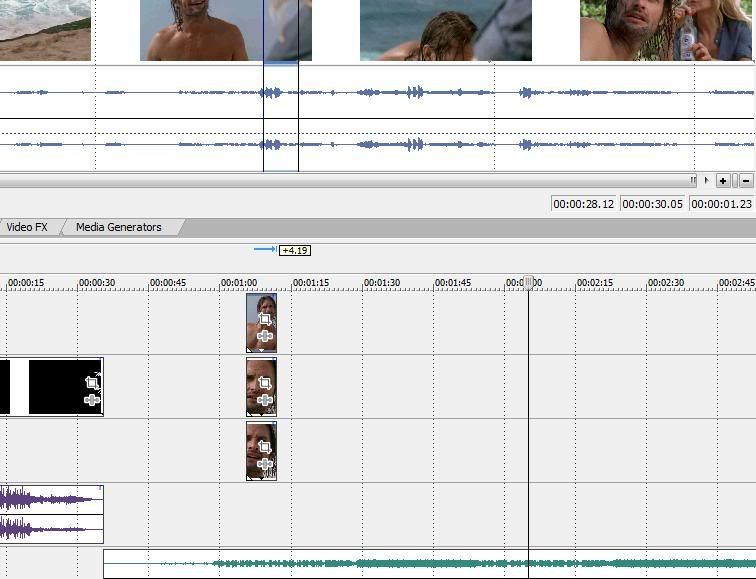
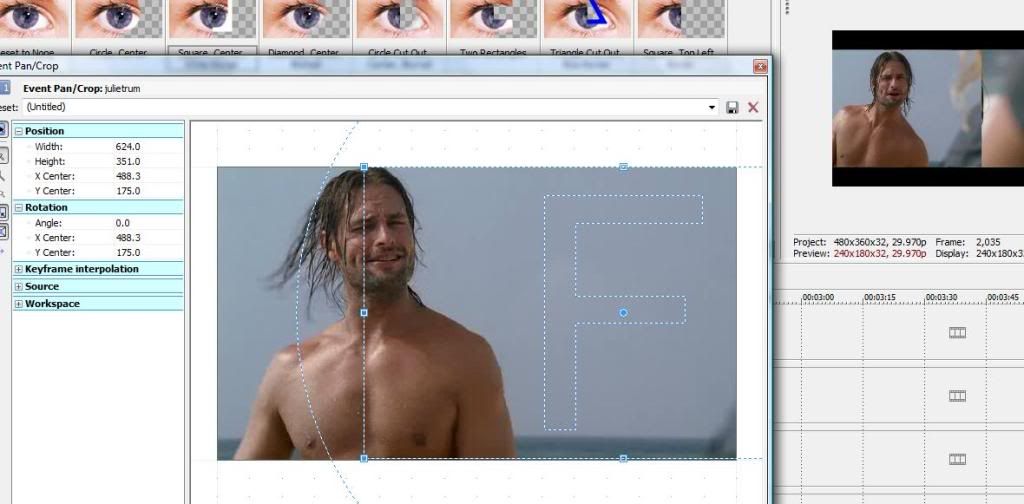
Next what I do is I go to my bottom, and right click on it and click on Event Pan/Crop. Once that window is open I adjust where the clip is set to the left or right, whichever you prefer.
Next I go to the middle clip, right click on it, click on Event Pan/Crop. Once the window is open, I move it in the opposite direction that I moved the top clip in.
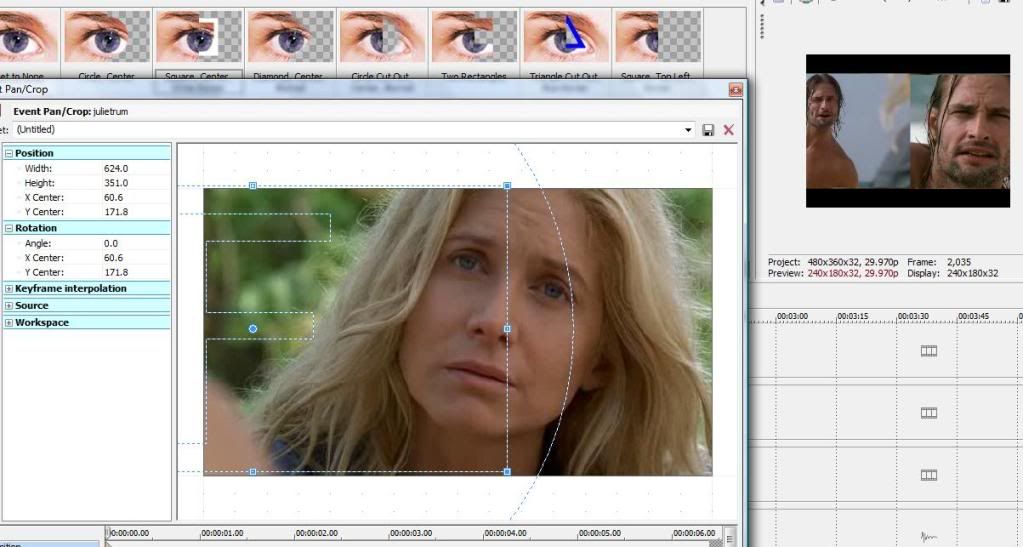
I, however, leave the top clip where it is.
Next what I do is go to Video FX, click on Cookie Cutter and I pick the Square, Center, White Border and I drop it into all three of my timelines.
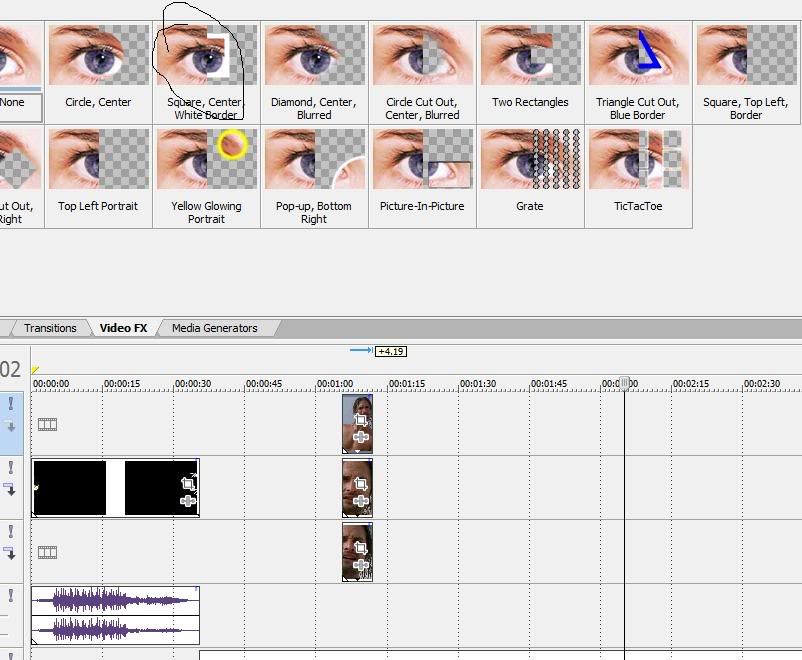
These are my settings for the bottom two cookie cutters.
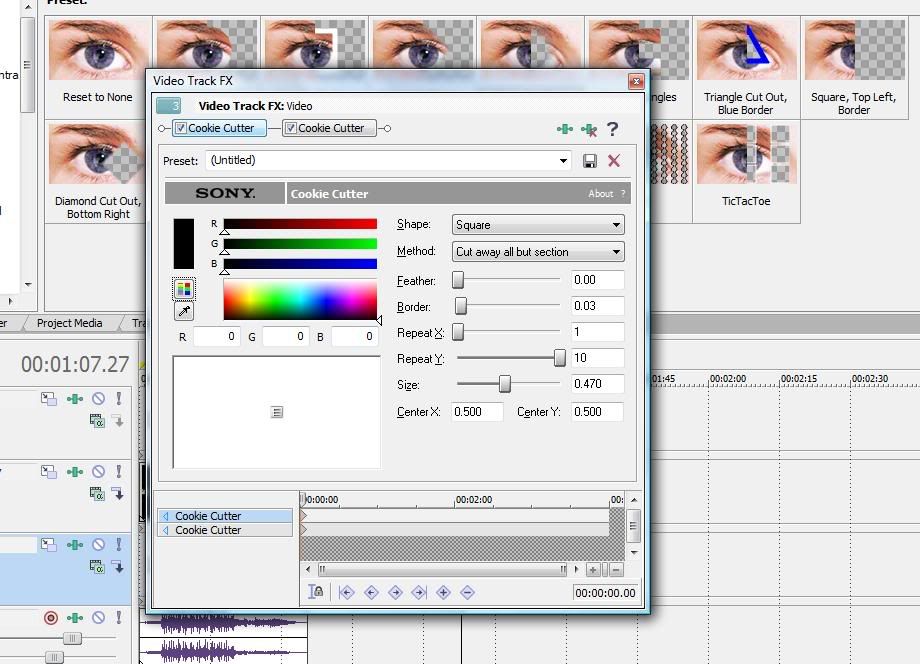
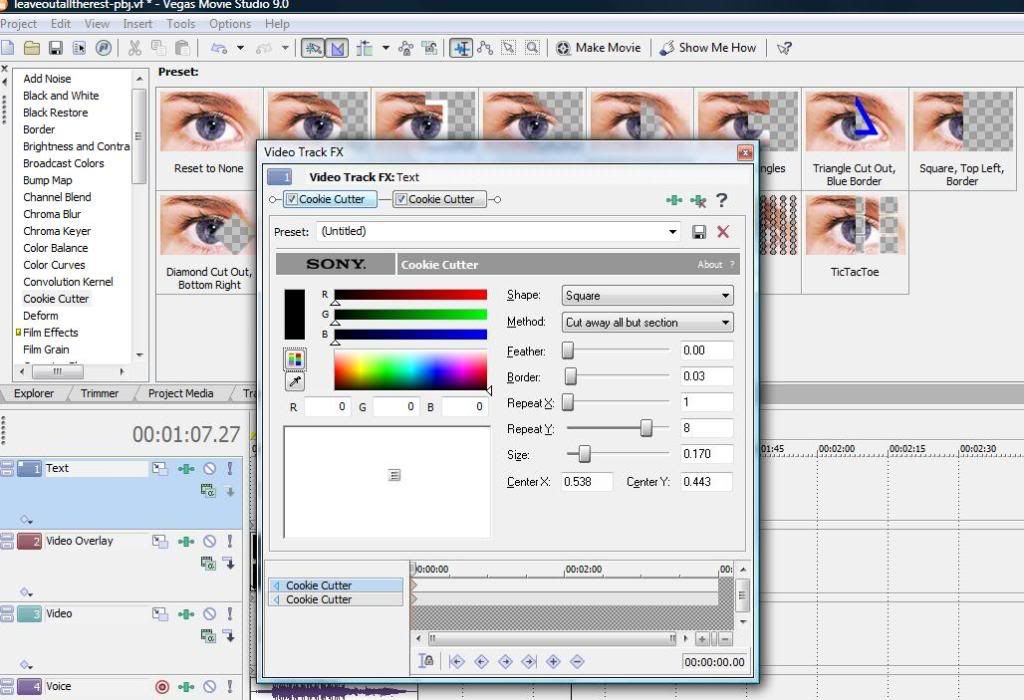
This is the setting on my top cookie cutter.
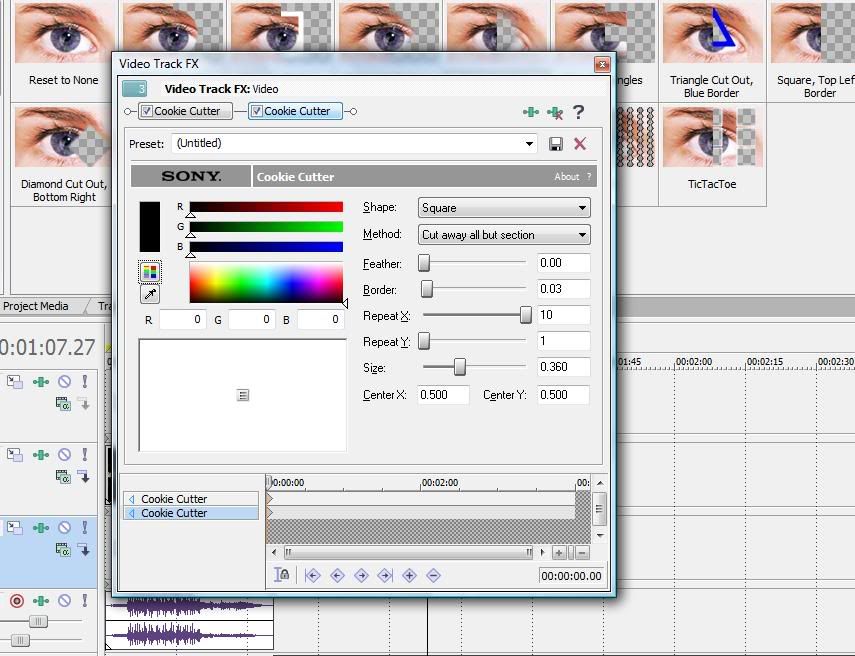
Next I add another cookie cutter to all three clips....
These are the settings for the second set of cookie cutters.
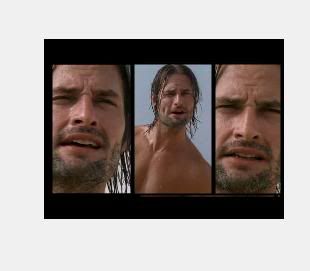
This is what your finished product should look like...
 [/spoiler:3006aeade4] [/spoiler:3006aeade4] |
|
| Back to top | |
 |
littleton_pace
Council Member
Joined: 16 Nov 2006
Posts: 55699
|
| Posted: Thu Mar 19, 2009 5:28 am |
|
| oooh, awesome tammy!! im sure this'll help a lot of people ;P do you mind if I add it to the big list of tutorials? |
|
| Back to top | |
|
tjmack1986
Expert Vidder
Joined: 30 Mar 2008
Posts: 3436
|
| Posted: Thu Mar 19, 2009 5:30 am |
|
| Nope not a bit....hope to help someone ;D |
|
| Back to top | |
|
OvariesOfSteel
Intermediate Vidder
Joined: 27 Jul 2008
Posts: 1347
|
| Posted: Sat Mar 21, 2009 3:10 pm |
|
| Thanks for sharing this tip!! |
|
| Back to top | |
|
xXAngelicEvilXx
|
| Posted: Tue Apr 14, 2009 1:15 pm |
|
Sorry I was away for a bit and didn't see this until now. Thank you for the tutorial on this! Now I see that I was close to accomplishing that, the only thing I didn't do was use the Square border cookie cutter. Thank you so much!  |
|
| Back to top | |
|
tjmack1986
Expert Vidder
Joined: 30 Mar 2008
Posts: 3436
|
| Posted: Tue Apr 14, 2009 7:26 pm |
|
| not a problem! Glad to help |
|
| Back to top | |
|
FaradayLinus
Expert Vidder
Joined: 16 Jun 2009
Posts: 1525
|
| Posted: Tue Jul 7, 2009 4:13 am |
|
The split screen is working for me...but I cant figure out how to make the whole clip images I cropped appear in only their box. One side is taking up the other clips box, and the middle one won't show the whole image i cropped. Not sure whats wrong?
Also does anyone have the ration for doing just a two sided split screen? |
|
| Back to top | |
|
tjmack1986
Expert Vidder
Joined: 30 Mar 2008
Posts: 3436
|
| Posted: Thu Oct 15, 2009 2:21 am |
|
| Could you maybe do a Print Screen of what's wrong with the Three split screen? and to do a two split you just add one cookie cutter, move it all the way to the right or left, and then the black (or whatever color you want to use) bar should be right in the middle of the screen. |
|
| Back to top | |
|

 LVI Home
 Search
 Memberlist