| Author | Message |
|---|
SuperKC
Expert Vidder
Joined: 24 Feb 2005
Posts: 3667
|
 Posted: Mon Jun 11, 2007 3:48 am Posted: Mon Jun 11, 2007 3:48 am |
|
STEP FIVE: Curves
aka - the hard one!
THE SPECS:
I rarely use anything but the RGB channels here. Here's an overall look at these.
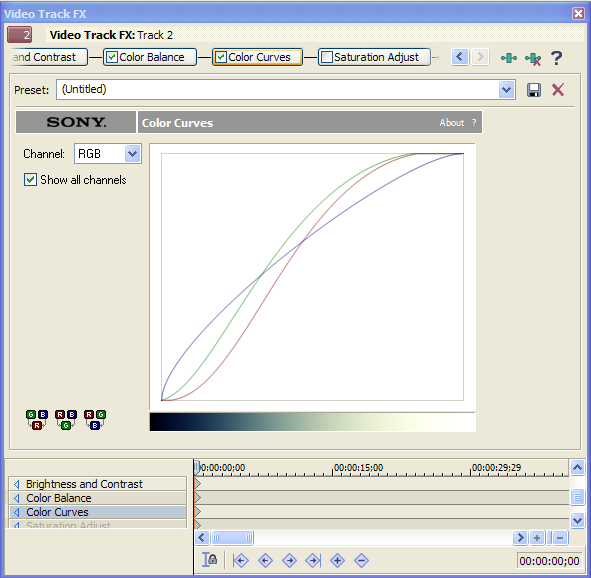
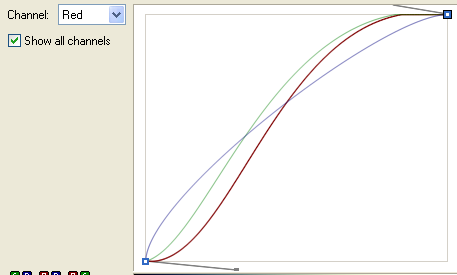
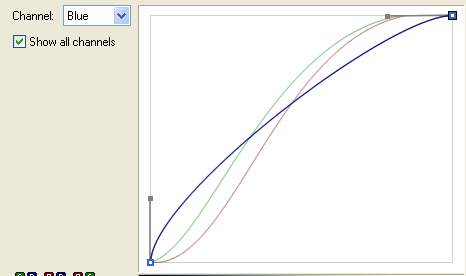
Now let's take a look at the individual color lines. These can be dragged up and down, made longer or shorter, etc. in order to control the shape of the curve.
RED:
BLUE:
GREEN:
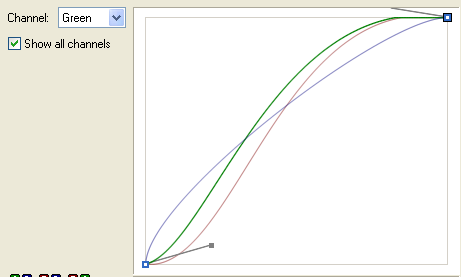
THE RESULTS:
From this - 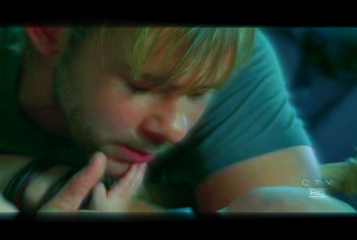 - to this - to this 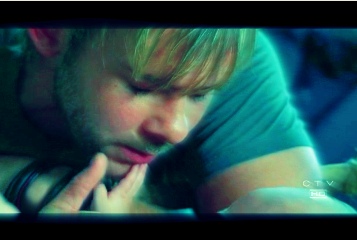
| Quote: |
SIDEBAR: (Proceed to the next step if stopping in the middle confuses you!)
Now, you may be saying to yourself, "Well, gee, that's what curves does? That didn't seem to do much!" On the contrary. I had done a lot of stuff to this clip previously, so the curves only enhanced what I'd already done. But curves alone CAN produce dramatic results. This is not the best setting for that, but here's an example of what this exact curves setting can do to the clip without ANY OTHER colorization technique.
FROM THIS - 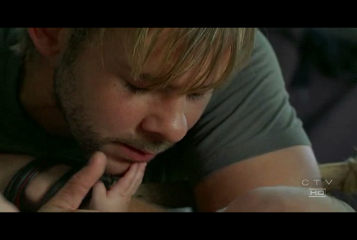 to this - to this - 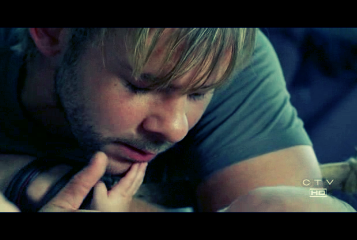
Let's take that one step further, and add the saturation layer from step # 2.
From this - to this - 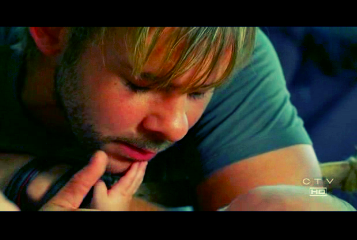
I think this is a vast improvement over the exact same Saturation layer without the curves as seen here: 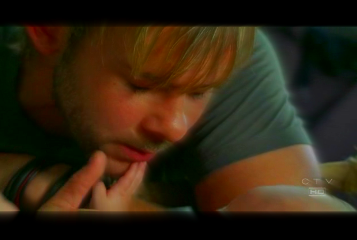
|
|
|
| Back to top | |
 |
SuperKC
Expert Vidder
Joined: 24 Feb 2005
Posts: 3667
|
| Posted: Mon Jun 11, 2007 3:53 am |
|
STEP SIX: Saturation #2
Yah, okay. You get it. I like color. Geez!
THE SPECS:
Still a bit too grim for me. After putting in all that blue and washing him out a bit. I want to up the saturation, but not too much. So this is vastly different than the last saturation step.
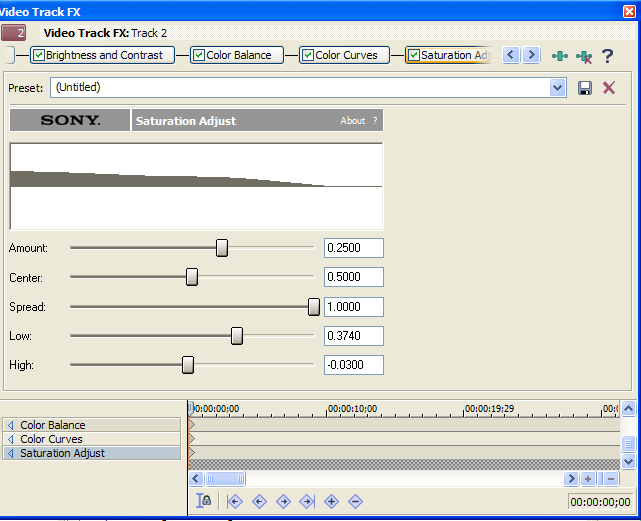
THE RESULTS:
From this - to this - 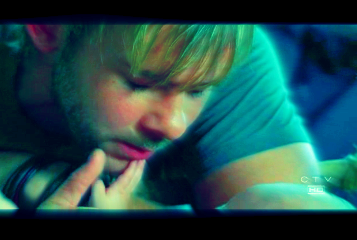
And that's it! (Sorta.)
There's one more step! But that's only when dealing with "special" scenes. I'll explain more below.
But for now. Let us bask in our cleverness!
| Quote: | BEFORE: AFTER:
OR
BEFORE: AFTER: |
|
|
| Back to top | |
|
SuperKC
Expert Vidder
Joined: 24 Feb 2005
Posts: 3667
|
| Posted: Mon Jun 11, 2007 4:03 am |
|
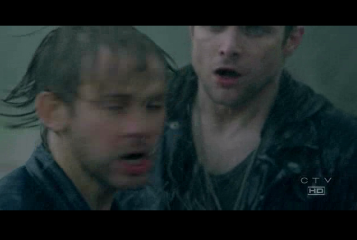
HOLY CRAP WHAT WAS THAT?
That was a murky scene! What happens when you put a bunch of color over a murky somewhat greyish scene? Well. It absorbs it of course!!!!!!!!!!!!
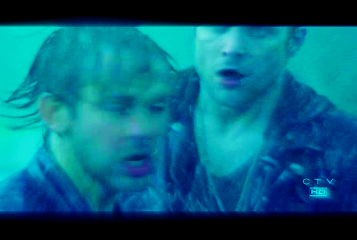
OH GEEZ! That is NOT what we want at all!
What do we do!??!?!?!?
Well... remember back in step 4 when we took out all the red and added all the blue? Well, we can sorta kinda... reverse that! YAYYYY! How?
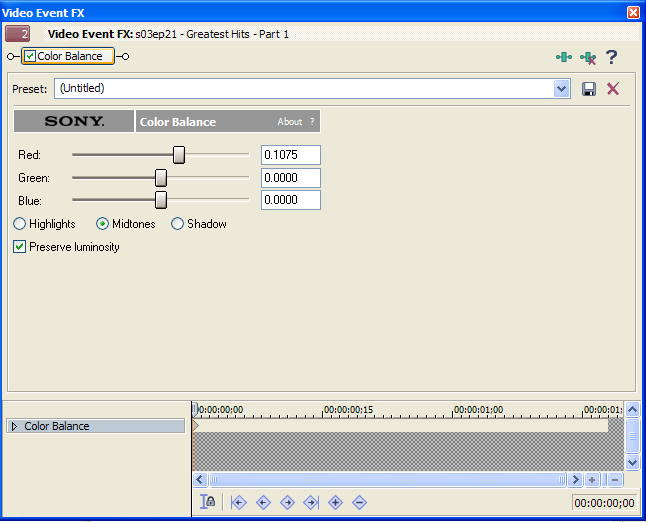
There are two ways. One way would be to go back to that layer and change the specs. But in this case, I used a track effect, so those layers are over my entire track. So the way I did it, was I added an additional effect on the clip itself. Good old color balance!
COLOR BALANCE: Additional Step
GIVE ME RED!
And how does it look?
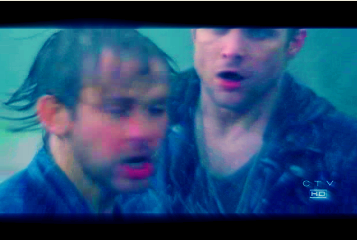
Sweeeeeeeeeeeeeeeet.
Okay I'm done. Shoot me now. |
|
| Back to top | |
|
SuperKC
Expert Vidder
Joined: 24 Feb 2005
Posts: 3667
|
| Posted: Mon Jun 11, 2007 4:14 am |
|
| RANDOM TIP #3: Clearly, a crapload of color layers DOES seem to alter the clarity a bit. This example is a little bit more enhanced in that factor because I used the light rays. Without the light rays the clarity is much better, but still is lost a bit in all of the layers. So take note! Brightness/Contrast, Curves, Saturation, etc. CAN BE YOUR ENEMY! |
|
| Back to top | |
|
Aislynn
Council Member
Joined: 03 Feb 2005
Posts: 35782
|
| Posted: Mon Jun 11, 2007 4:46 am |
|
DUDE! And why is this not in its own thread as a tutorial? Why? Whyyyyy??? 
(If you don't want to have to copy/paste all these posts over into a separate thread, then I can just link to this one in the Tech Guides section. 'Cause, dude, the world needs to be able to find all of this! )
*applauds liek woah* Thank you SO MUCH for all of that!  |
|
| Back to top | |
|
SuperKC
Expert Vidder
Joined: 24 Feb 2005
Posts: 3667
|
| Posted: Mon Jun 11, 2007 4:50 am |
|
| I think you can probaby split this into its own thread, starting at my tutorial. Knowwhudduhmean? |
|
| Back to top | |
|
Aislynn
Council Member
Joined: 03 Feb 2005
Posts: 35782
|
| Posted: Mon Jun 11, 2007 4:57 am |
|
You know, that's one thing I've never tried! Do you happen to have copies of what all you've put up, just in case? 
*has visions of all of KC's work disappearing into the ether*
That's a freakin' BAD VISION, right there! |
|
| Back to top | |
|
SuperKC
Expert Vidder
Joined: 24 Feb 2005
Posts: 3667
|
| Posted: Mon Jun 11, 2007 5:04 am |
|
| LOL um no. Haha. |
|
| Back to top | |
|
Aislynn
Council Member
Joined: 03 Feb 2005
Posts: 35782
|
| Posted: Mon Jun 11, 2007 5:11 am |
|
| I'm having to flip back and forth between this and something else but as soon as I can, I can make a "just in case" copy of all of your codes, etc. before I split this, z'okay? |
|
| Back to top | |
|
SuperKC
Expert Vidder
Joined: 24 Feb 2005
Posts: 3667
|
| Posted: Mon Jun 11, 2007 5:18 am |
|
| Well, what's the point in splitting then? Splitting is to save from having to do all that so if we're gonna do all that ANYWAY, right? Hahah. So it'd be like, extra work. I'll just make a new post. |
|
| Back to top | |
|
SuperKC
Expert Vidder
Joined: 24 Feb 2005
Posts: 3667
|
| Posted: Mon Jun 11, 2007 5:23 am |
|
There ya go.  |
|
| Back to top | |
|
Aislynn
Council Member
Joined: 03 Feb 2005
Posts: 35782
|
| Posted: Mon Jun 11, 2007 6:32 am |
|
Argh, sorry I didn't get back here soon enough to help ya, KC!  *is made of fail* *is made of fail*  Thanks for reposting all of that, though! Thanks for reposting all of that, though! |
|
| Back to top | |
|
SuperKC
Expert Vidder
Joined: 24 Feb 2005
Posts: 3667
|
| Posted: Mon Jun 11, 2007 7:09 am |
|
| yep |
|
| Back to top | |
|
Polarbear
Expert Vidder

Joined: 26 Jun 2005
Posts: 13684
|
| Posted: Mon Jun 11, 2007 11:09 am |
|
Very helpful thanks KC
_________________
 |
|
| Back to top | |
|
AlcoholicPixie
Expert Vidder
Joined: 07 Apr 2006
Posts: 1085
|
| Posted: Mon Jun 11, 2007 11:28 am |
|
Thanks, KC! I've just been using Color Corrector and Brightness & Contrast to colour my vids... lo what fool this Kayla be 
Ais: Sony Saturation Adjust does work nicely with Contrast; what I used to do was saturate the clips up to full and then up the brightness and contrast by a wayload, and that got me some quite nice lookin' SPN clips. Of course, like Jen said, LOST clips are A LOT easier to saturate because they're already fairly pretty
_________________

Supernatural Video Station |
|
| Back to top | |
|

 LVI Home
 Search
 Memberlist